
The subgraph feature requires ComfyUI frontend version 1.24.3 or later. If you don’t see this feature, please refer to: How to Update ComfyUI
- Images in this document are made with nightly version frontend, please refer to the actual interface
- Currently, this is a MVP version, some features like converting subgraph back to nodes will be supported in the future
A subgraph is a powerful ComfyUI feature that lets you package complex workflows into a single reusable subgraph node, making them easier to manage and share.
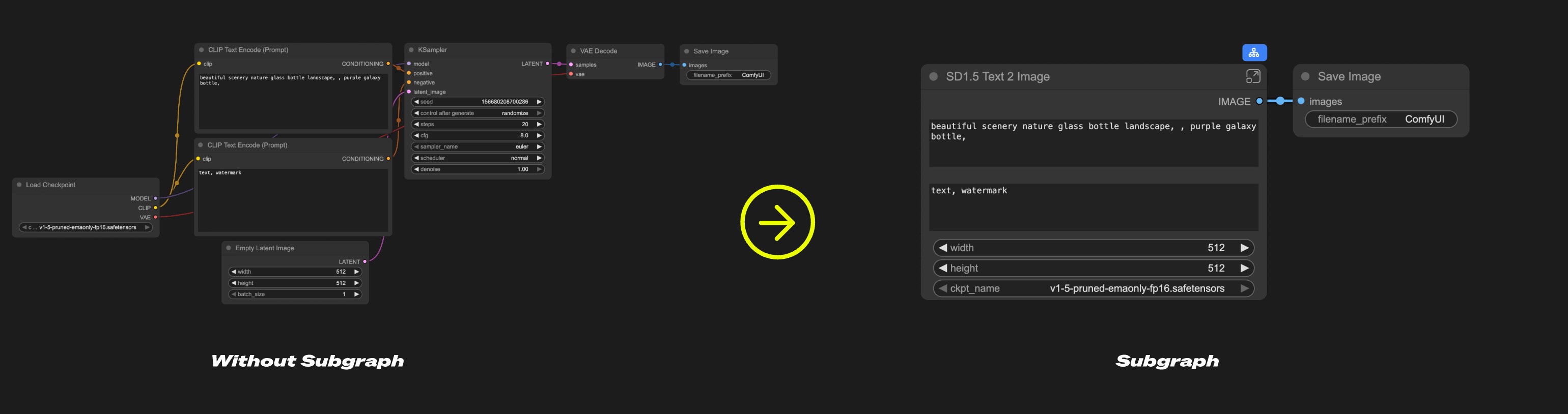 Think of a subgraph as a “folder” for your workflow – you can group related nodes together and use the entire collection as one unified subgraph node.
Use subgraphs to:
Think of a subgraph as a “folder” for your workflow – you can group related nodes together and use the entire collection as one unified subgraph node.
Use subgraphs to:
- Simplify complex workflows
- Reuse common node combinations
- Build more efficient workflows with modular components
Creating a Subgraph
1
Select nodes
Select the nodes you want to group in ComfyUI
2
Click the subgraph icon
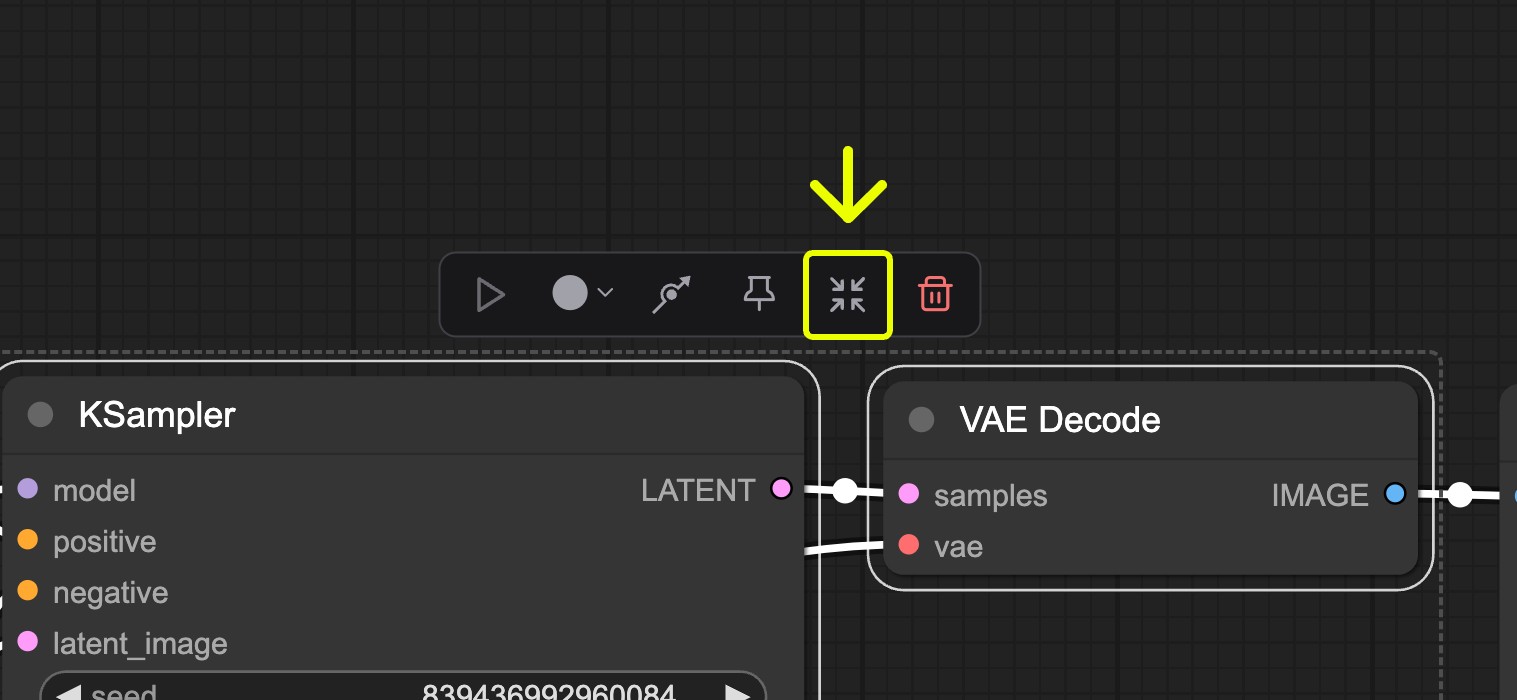 Find the subgraph icon in the toolbar
3
Subgraph created
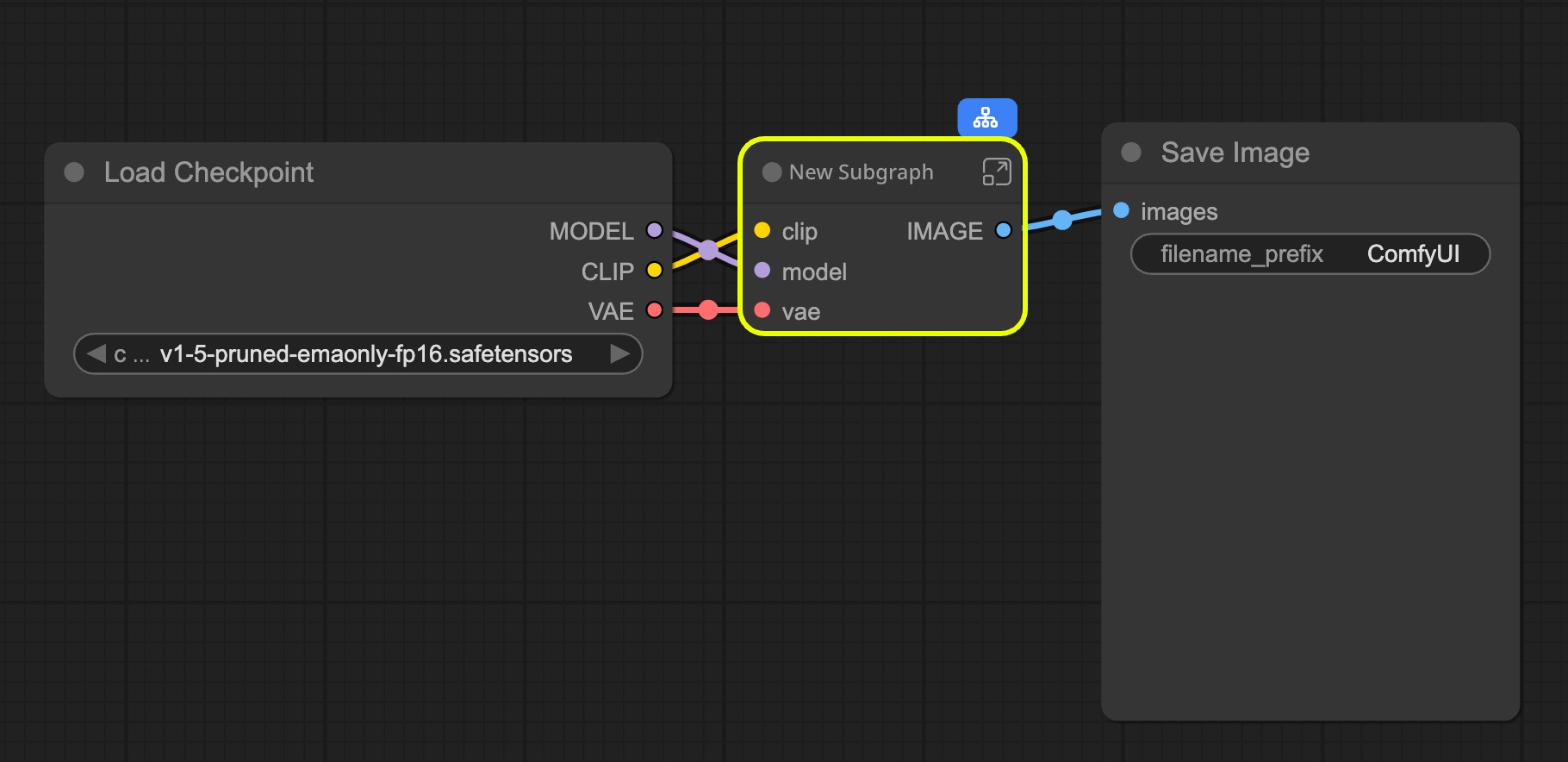 ComfyUI automatically creates a subgraph based on your selected nodes’ inputs and outputs
4
Customize your subgraph
Refer to Editing Subgraphs, you can edit and organize the subgraph to create a fully functional node
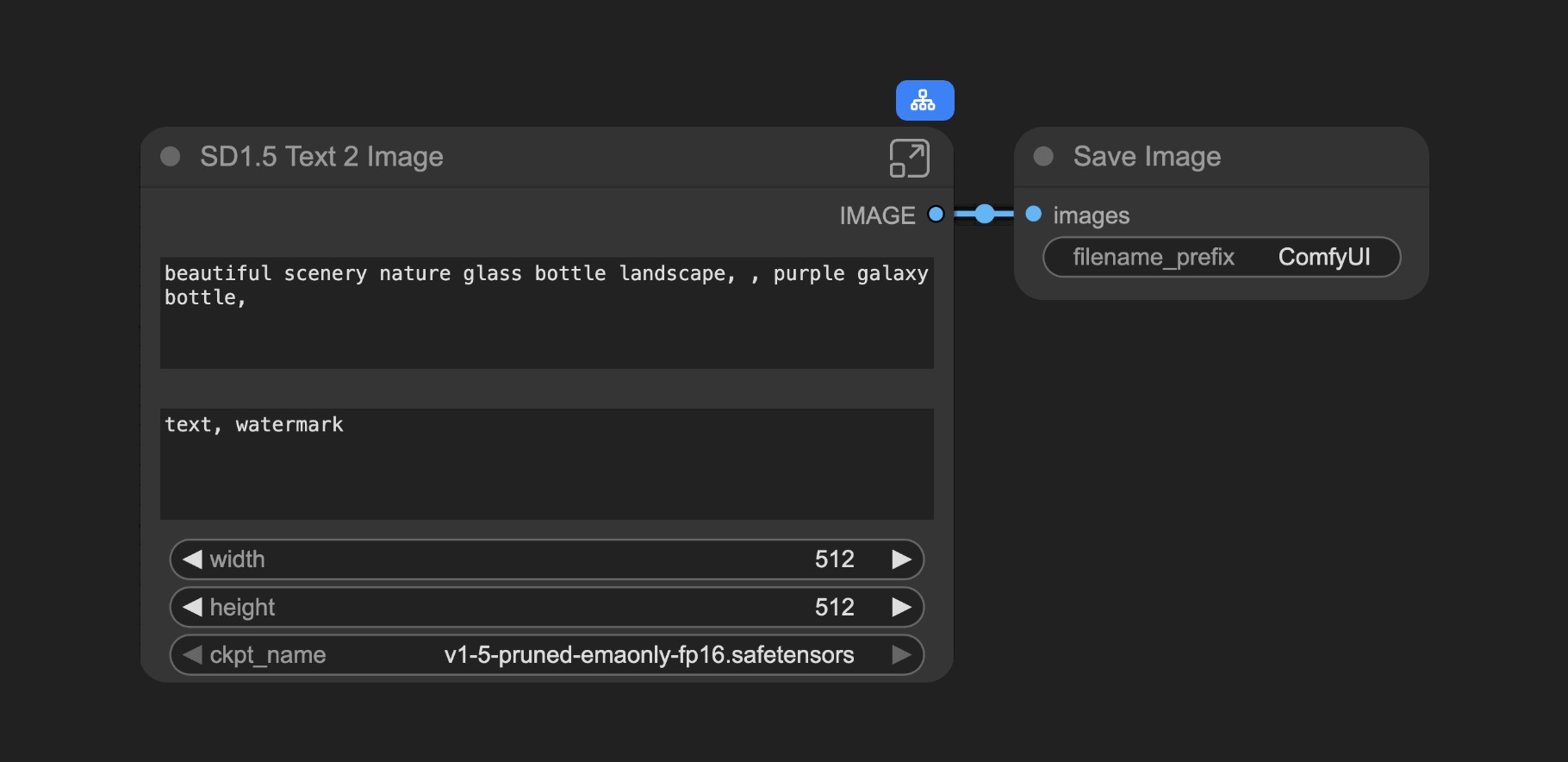
Working with Subgraphs
Basic Operations
Subgraphs work just like regular nodes. You can:- Change colors and names
- Use bypass to disable
- Apply all standard node operations
Editing Subgraphs
To enter edit mode:- Double-click the empty area inside the subgraph (not on widgets), or
- Click the subgraph edit button
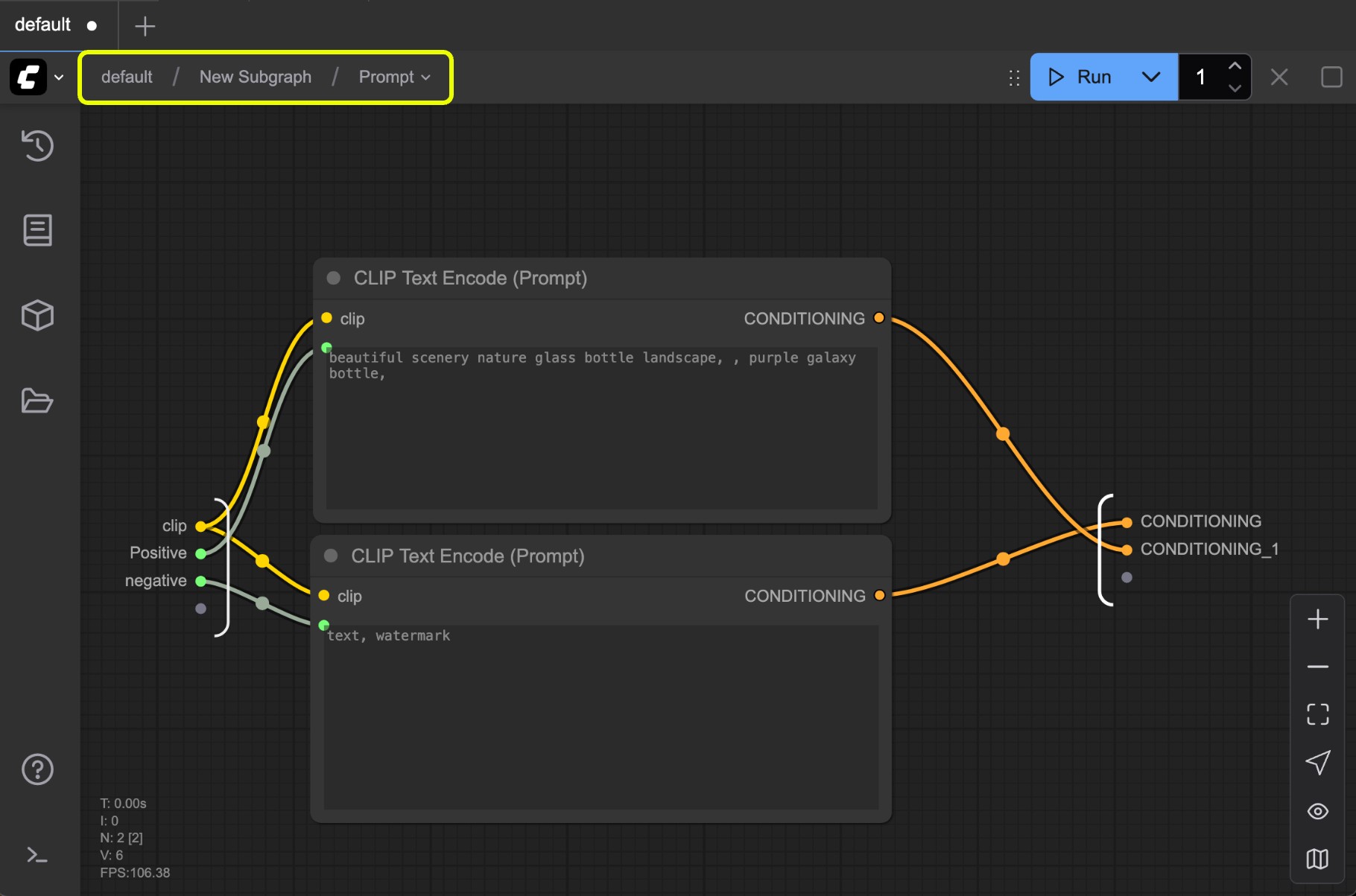
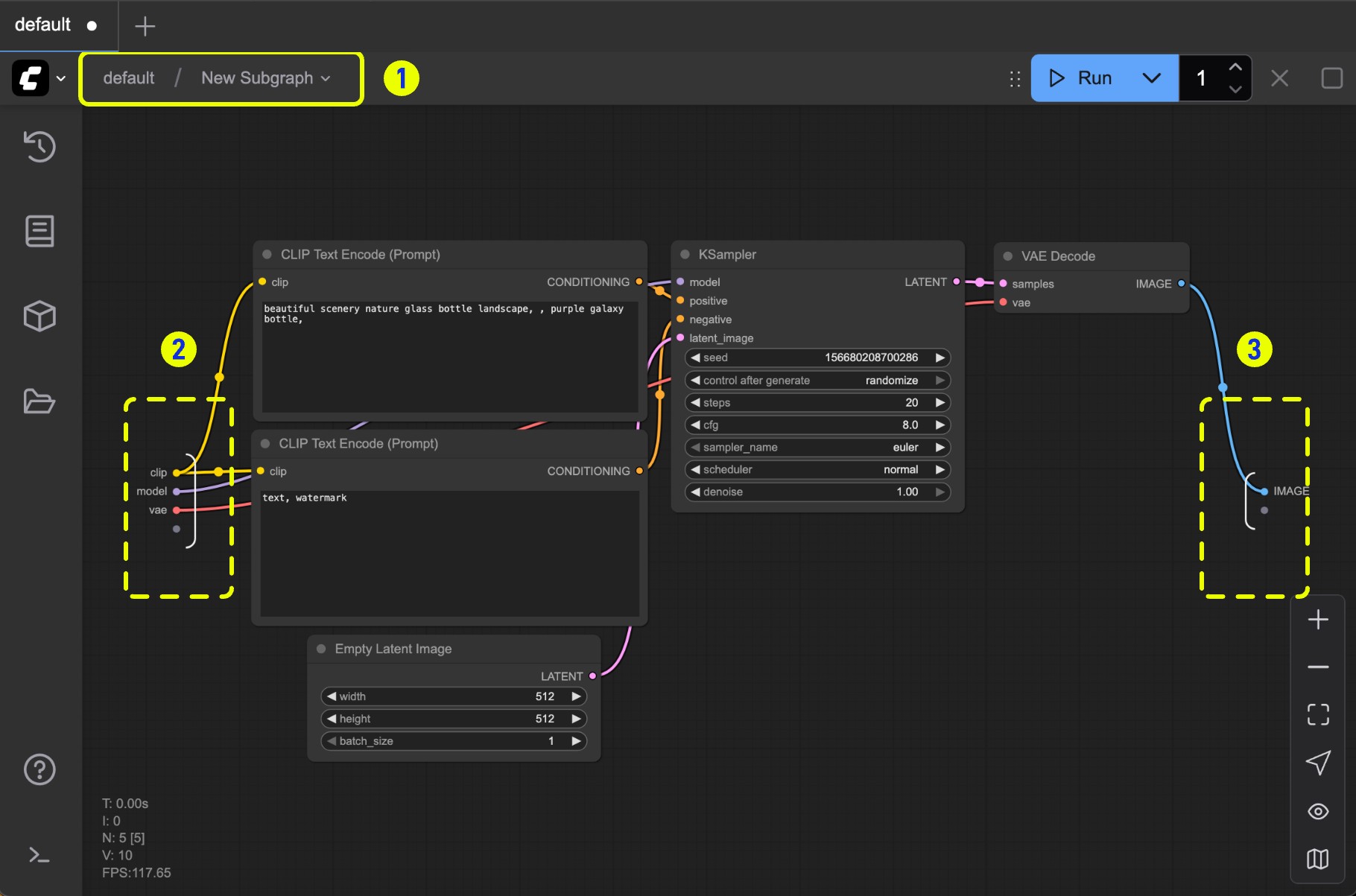 In edit mode you’ll see:
- Navigation bar: Exit the current subgraph and return to the parent level
- Input slots: Internal node inputs exposed to the outside
- Connect outputs to slots like normal nodes
- Right-click connection points to rename/delete exposed slots
- Output slots: Outputs exposed to the outside (same functionality as input slots)
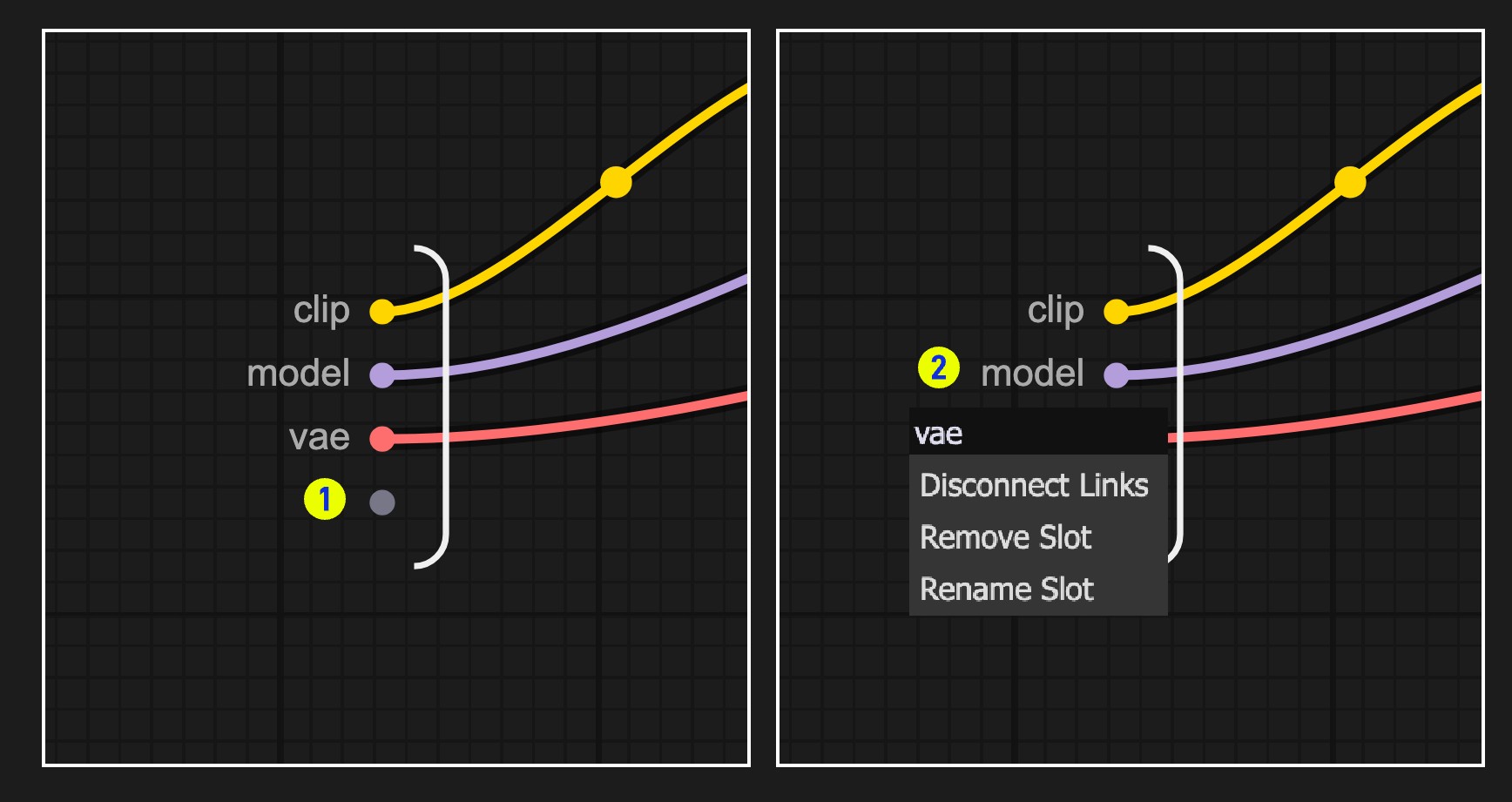 Working with slots:
- Default slot (labeled 1): Use this to add new input/output connections
- Right-click existing slots to rename, delete, or disconnect from original nodes
Note: Slot connections follow standard data type validation rules
Nested Subgraphs
Create even more complex workflows by nesting subgraphs within subgraphs.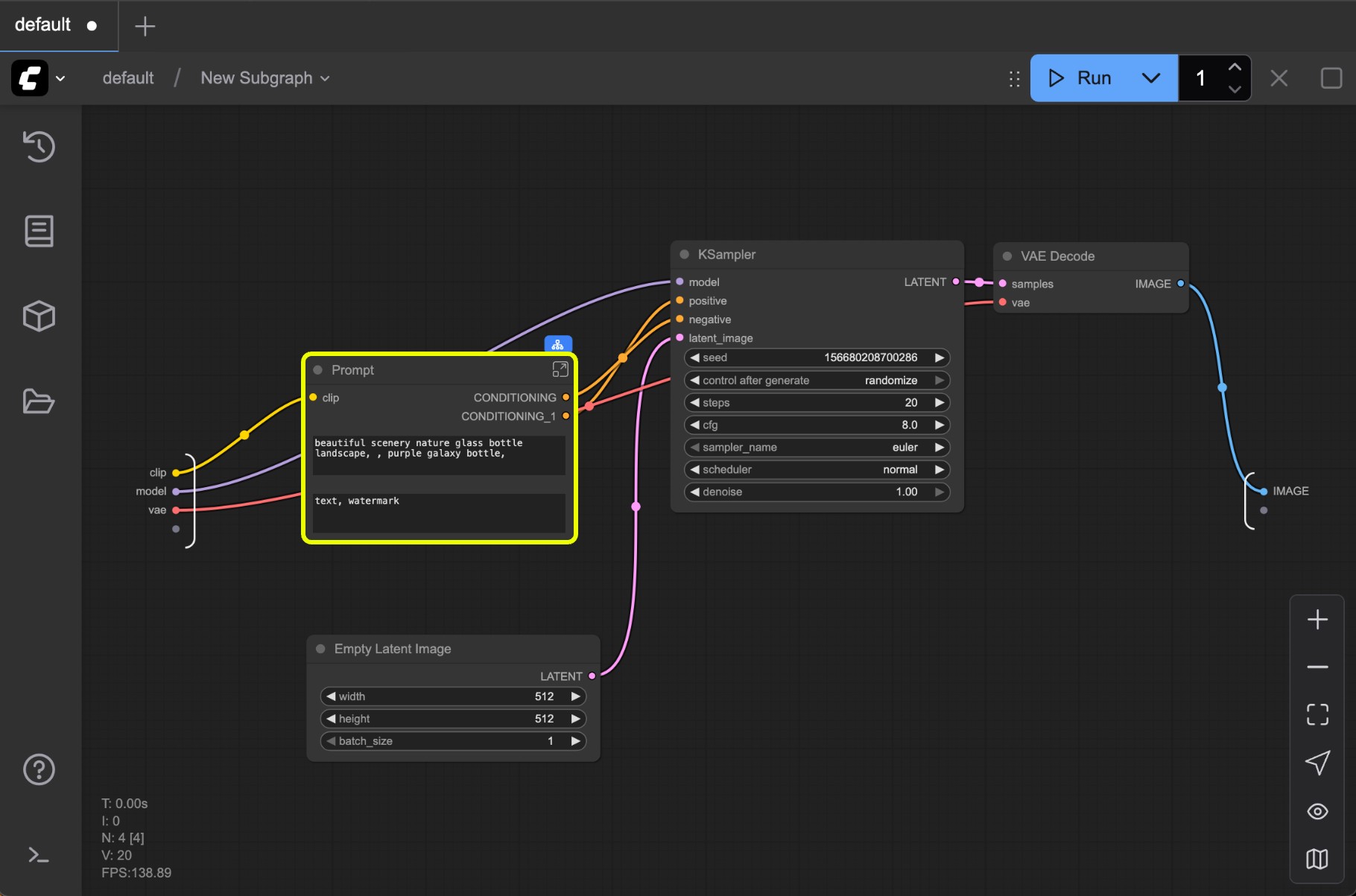 The navigation bar shows your current level and lets you easily move between nested subgraphs.