
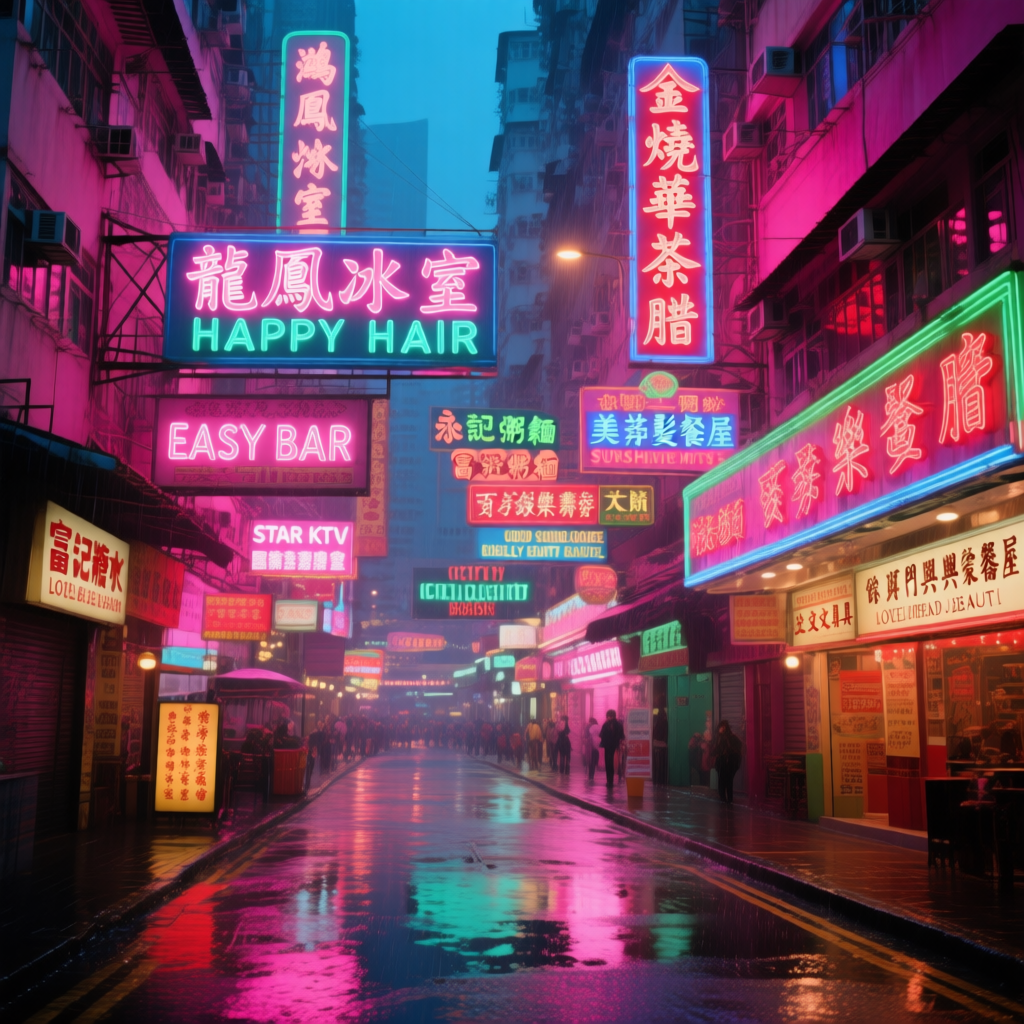
Qwen-Image is the first image generation foundation model released by Alibaba’s Qwen team. It’s a 20B parameter MMDiT (Multimodal Diffusion Transformer) model open-sourced under the Apache 2.0 license. The model has made significant advances in complex text rendering and precise image editing, achieving high-fidelity output for multiple languages including English and Chinese. Model Highlights:
  • Excellent Multilingual Text Rendering: Supports high-precision text generation in multiple languages including English, Chinese, Korean, Japanese, maintaining font details and layout consistency
  • Diverse Artistic Styles: From photorealistic scenes to impressionist paintings, from anime aesthetics to minimalist design, fluidly adapting to various creative prompts
Related Links:

Qwen-Image Native Workflow Example

If you have not installed ComfyUI, please refer to the ComfyUI System Requirements section to install ComfyUI.If you find missing nodes when loading the workflow file below, it may be due to the following situations:
  1. You are not using the latest Development (Nightly) version of ComfyUI.
  2. You are using the Stable (Release) version or Desktop version of ComfyUI (which does not include the latest feature updates).
  3. You are using the latest Commit version of ComfyUI, but some nodes failed to import during startup.
Please make sure you have successfully updated ComfyUI to the latest Development (Nightly) version. See: How to Update ComfyUI section to learn how to update ComfyUI.
VRAM usage reference Tested with RTX 4090D 24GB Model Version: Qwen-Image_fp8
  • VRAM: 86%
  • Generation time: 94s for the first time, 71s for the second time
Model Version: Qwen-Image_bf16
  • VRAM: 96%
  • Generation time: 295s for the first time, 131s for the second time

1. Workflow File

After updating ComfyUI, you can find the workflow file in the templates, or drag the workflow below into ComfyUI to load it. Qwen-image Text-to-Image Workflow
Download JSON Workflow

2. Model Download

Available Models in ComfyUI
  • Qwen-Image_bf16 (40.9 GB)
  • Qwen-Image_fp8 (20.4 GB)
All models are available at Huggingface and Modelscope Diffusion Model qwen_image_fp8_e4m3fn.safetensors Text Encoder qwen_2.5_vl_7b_fp8_scaled.safetensors VAE qwen_image_vae.safetensors Model Storage Location
📂 ComfyUI/
├── 📂 models/
│   ├── 📂 diffusion_models/
│   │   └── qwen_image_fp8_e4m3fn.safetensors
│   ├── 📂 vae/
│   │   └── qwen_image_vae.safetensors
│   └── 📂 text_encoders/
│       └── qwen_2.5_vl_7b_fp8_scaled.safetensors

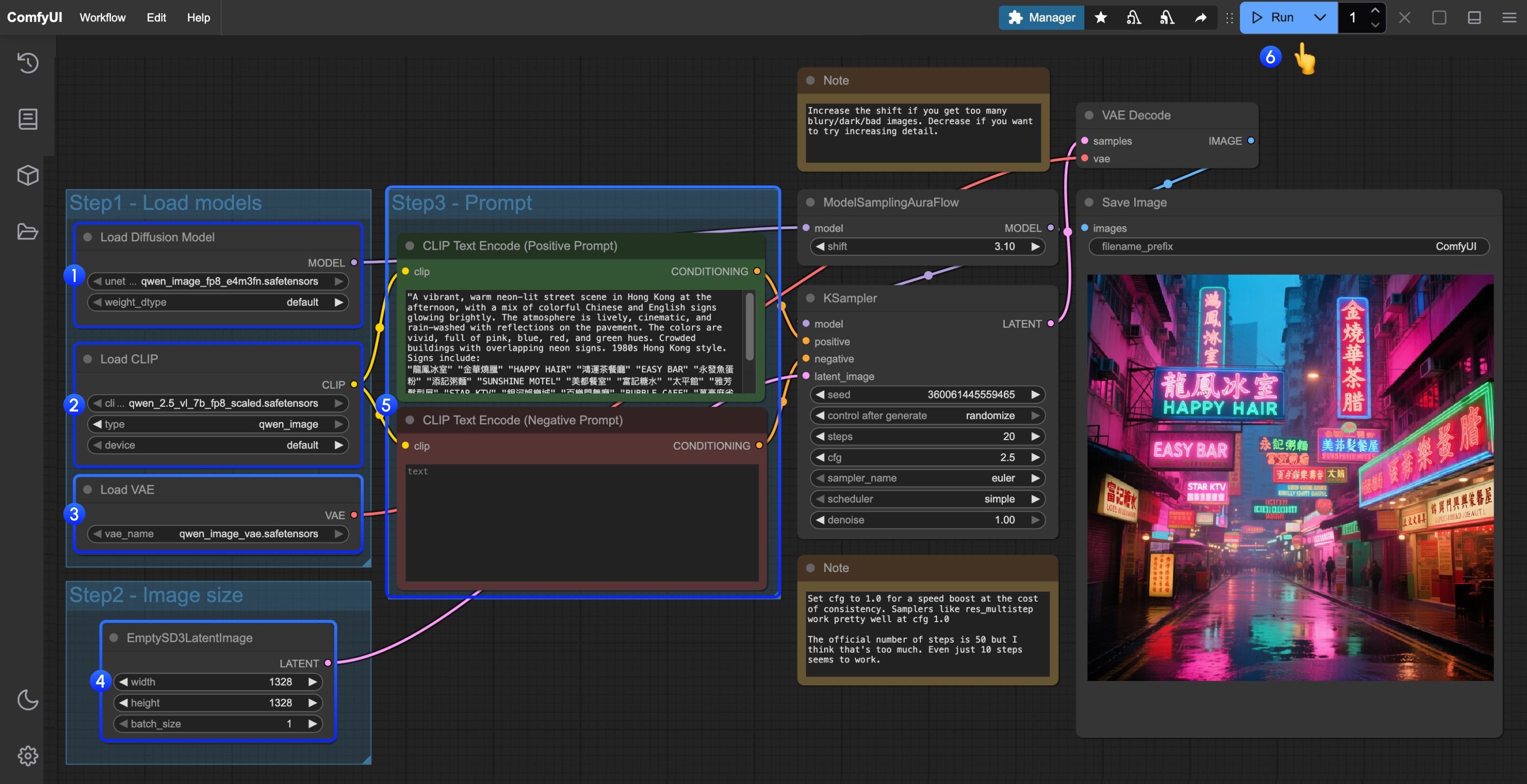
3. Complete the Workflow Step by Step

Step Guide
  1. Load qwen_image_fp8_e4m3fn.safetensors in the Load Diffusion Model node
  2. Load qwen_2.5_vl_7b_fp8_scaled.safetensors in the Load CLIP node
  3. Load qwen_image_vae.safetensors in the Load VAE node
  4. Set image dimensions in the EmptySD3LatentImage node
  5. Enter your prompts in the CLIP Text Encoder (supports English, Chinese, Korean, Japanese, Italian, etc.)
  6. Click Queue or press Ctrl+Enter to run